
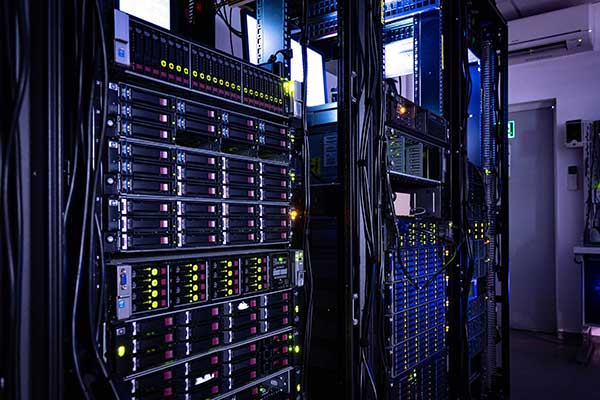
If you’re planning to Buy Refurbished Servers but are concerned about their longevity, you’re not alone. One of the biggest questions IT buyers ask is: How long will a refurbished server actually last, and is it worth the investment?
The good news is that when sourced from certified refurbishers and maintained properly, refurbished servers can deliver years of reliable performance—often rivaling that of new machines.
Let’s explore what affects a refurbished server’s lifespan and how you can maximize it.
Average Lifespan of Refurbished Servers
Most refurbished servers are previously used enterprise-grade hardware that originally had a lifespan of 5 to 7 years in continuous operation. After professional refurbishment, they can typically provide an additional 3 to 5 years of stable service—sometimes more, depending on usage and environment.
That means a well-maintained, certified refurbished server can easily last 6 to 10 years in total from its original manufacturing date.
Key Factors That Influence Longevity
Several factors determine how long your refurbished server will last:
1. Refurbishment Quality
Not all refurbishers follow the same process. Top-tier vendors:
- Replace or upgrade worn-out components (e.g., SSDs, fans, RAM)
- Run burn-in and load tests
- Clean and reassemble hardware to OEM standards
- Provide warranties and support
Buying from such vendors greatly extends lifespan and ensures uptime.
2. Usage Type
A refurbished server running light or moderate workloads—like file sharing, backups, or development environments—will last much longer than one used for constant high-load operations like rendering, virtualization, or real-time analytics.
3. Maintenance and Monitoring
Just like new hardware, refurbished servers require:
- Regular firmware updates
- Dusting and cooling maintenance
- SMART checks for storage health
- Redundant power and backup plans
A proactive approach can easily add 1–2 extra years of healthy performance.
4. Environment
Servers kept in temperature-controlled rooms with proper airflow and humidity control are far less likely to fail prematurely. Rack-mounted, datacenter-optimized setups also tend to outlast desktop-style server deployments.
Common Components That Age Faster
While the main chassis, processor, and motherboard often last the longest, you should monitor and occasionally replace:
- Hard drives/SSDs (especially if they weren’t replaced during refurbishment)
- Cooling fans
- Power supplies
- Thermal paste on CPUs
Many refurbishers already replace these during reconditioning, but periodic inspection ensures optimal performance.
When to Replace a Refurbished Server
Here are some signs that it might be time to upgrade or decommission:
- Incompatible with current software or OS
- Downtime increasing due to hardware failure
- Outdated security patching options
- Performance bottlenecks with modern workloads
However, with strategic upgrades—like replacing drives or adding memory—you can still extend a refurbished server’s life by 12–24 months.
Why Lifespan Isn’t the Only Metric
When evaluating whether refurbished is worth it, consider:
- Total Cost of Ownership (TCO): Even if it lasts 4 years, it may cost 60–70% less than a new server.
- Return on Investment (ROI): Ideal for startups, dev/test environments, or growing SMBs needing fast scalability.
- Eco-Impact: Using refurbished servers promotes sustainability and reduces e-waste.
Final Thoughts
So, how long do refurbished servers last? On average, you can expect 3 to 5 years of reliable service post-refurbishment—sometimes even longer with proper care and light-to-moderate usage.
They’re a smart choice for businesses aiming to scale without overspending. If sourced from a trusted provider and used strategically, refurbished servers offer excellent longevity, value, and performance.
Now’s the perfect time to Buy Refurbished Servers and put that IT budget to better use.
 Evaluation Tech