
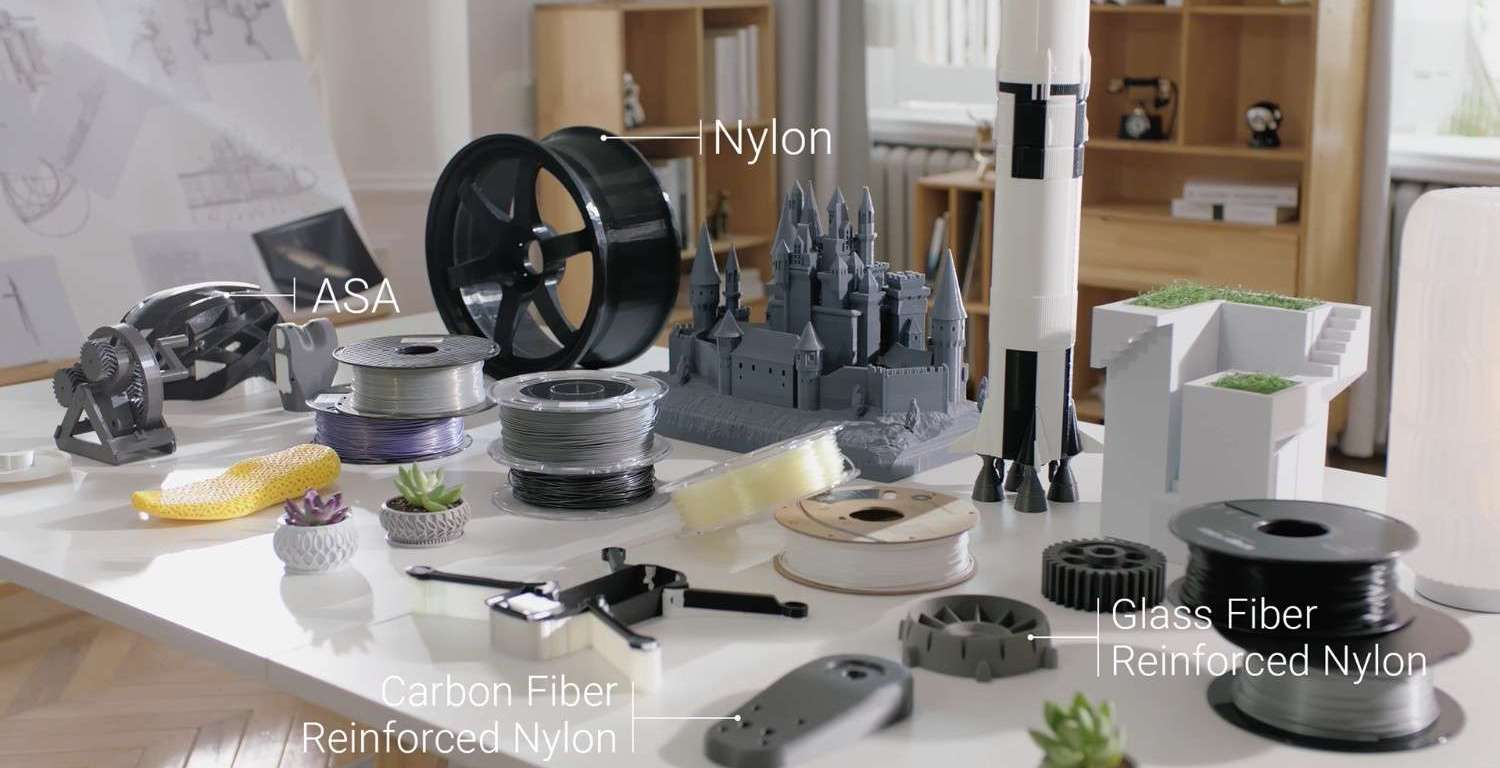
For the past decade, the 3D printer has been the undisputed star of the maker revolution. This single machine transformed our desktops into mini-factories, allowing us to turn digital ideas into physical objects, layer by layer. We’ve printed prototypes, functional parts, artistic models, and custom-fit solutions to everyday problems.
But as any seasoned maker will tell you, a moment arrives when you hit a wall. That 3D printed part needs to be stronger. That custom enclosure needs a professional-looking logo. That project you designed can’t be made of plastic.
The truth is, 3D printing is a specialist. It’s an additive process, and it excels at building complex geometries from the ground up. But it’s just one-third of the modern maker’s toolkit. To truly unleash your creative potential, you need to complete the “Maker’s Trinity” by embracing its two subtractive siblings: the laser cutter and the CNC router.
When these three tools work in harmony, you’re no longer just a hobbyist. You’re a true micro-manufacturer.
Understanding the “Trinity”: The Role of Each Tool
Your projects are diverse, and the best way to build them is by using the right tool for the right job.
1. The 3D Printer (The Architect)
This is your additive specialist. A high-quality 3D printer is the foundation, giving you the power to create complex shapes from nothing.
- Its Superpower: Building intricate internal channels, organic curves, and complex geometries that are impossible to make by hand.
- Best For: Custom enclosures for electronics, figurines, custom-fit brackets, and rapid prototypes.
- Its Limitation: It’s (mostly) limited to plastics and can be slow. The layered nature can also be a structural weakness in some orientations.
2. The Laser (The Artist)
This is your precision artist. A laser module uses a focused beam of light to etch surfaces or cut through thin, soft materials with surgical precision.
- Its Superpower: Speed and detail. It can engrave incredibly fine patterns, text, and photos, or cut through materials like plywood, acrylic, and leather in seconds.
- Best For: Customizing products with logos, cutting flat-pack designs (like boxes or puzzle pieces), and engraving on leather, wood, or coated metal.
- Its Limitation: It’s primarily a 2D tool and can’t cut through thick or reflective (metal) materials.
3. The CNC (The Sculptor)
This is your subtractive workhorse. A CNC (Computer Numerical Control) router is a spindle with a spinning cutting bit that carves, drills, and mills material away, just like a high-precision, robot-guided drill.
- Its Superpower: Strength and material diversity. It can create true 3D shapes out of hard materials like hardwood, aluminum, carbon fiber, and thick plastics, producing strong, functional parts.
- Best For: High-strength functional parts, relief carvings, custom inlays, and milling circuit boards (PCBs).
- Its Limitation: It’s “messier” (it creates dust and chips) and can’t easily create the hollow internal structures that a 3D printer can.
The Magic is in the Mix: 3 Projects Only Possible with All Three
The real power isn’t in using one of these tools; it’s in using all three on a single project. Here are a few ideas that are impossible with a 3D printer alone.
Project 1: The Custom Arcade Stick
You want to build a high-end, custom arcade stick for your favorite fighting game.
- CNC: Use the CNC module to mill the main enclosure from a solid piece of cherry wood, carving out the precise recesses for the joystick and buttons for a premium, heavy feel.
- Laser: Cut a thin, clear acrylic top panel. Then, engrave your favorite character’s artwork and button labels onto the reverse side of the acrylic, so it’s protected from wear and shows through with a glossy, professional finish.
- 3D Printer: Print all the custom internal parts: the bracket to hold the circuit board, clips to manage the internal wiring, and a custom-fit cover for the USB port.
Project 2: The Smart Keepsake Box
You want to create a one-of-a-kind jewelry box as a gift.
- CNC: Mill the box and its lid from a beautiful piece of hardwood, like walnut. The CNC can also carve a perfect, shallow recess for a custom inlay.
- Laser: Precisely cut the inlay material—perhaps a piece of light-colored wood veneer or brushed brass—to be slotted into the CNC-carved recess. Then, engrave a personalized message on the inside of the lid.
- 3D Printer: Print the box’s custom-fit insert out of a flexible 3D printer filament like TPU, creating soft, cushioned slots for rings and necklaces.
Project 3: The High-Performance FPV Drone
You’re building a custom FPV drone and need it to be both lightweight and incredibly strong.
- 3D Printer: Print the main body, antenna mounts, and camera pod. These parts are complex, require internal channels for wires, and are perfectly made with a durable, lightweight filament.
- CNC: Mill the drone’s arms from a sheet of 4mm-thick carbon fiber. This material provides the ultimate rigidity and crash resistance, something no 3D printed plastic could ever match.
- Laser: Cut a custom top plate from a thin sheet of acrylic or G10, complete with engraved labels for the video transmitter, receiver, and flight controller ports, making field repairs a breeze.
The Future is a Single, Modular Machine
For years, achieving this “trinity” meant buying three separate, massive, and expensive machines. It required a huge workshop and three different software workflows.
The future, however, is modular. All-in-one machines combine all three toolheads on a single, rigid frame. This revolutionary approach saves space and money, but its real benefit is a unified workflow. The machine’s coordinate system is shared, meaning you can 3D print a part, then swap toolheads and laser-engrave a logo on it with perfect alignment. You can CNC-mill a block of wood, then swap to a 3D printing head to add plastic features directly onto it.
Stop thinking about what your 3D printer can’t do. By completing the Maker’s Trinity, the only limit is your imagination, not your tools.
 Evaluation Tech